

Product tour
See Procxara in action
Two short videos recorded in the product, and an interactive walkthrough you can click through yourself. All data is fictional demo data.
Interactive walkthrough
One RFQ, from a sentence to a purchase order
Click any step, or let it play. Hover to pause.
Source ›Copilot
Step 1 of 5
Describe what you need in a sentence
The event agent reads quantities, dates, regions and certificates.
What do you need to buy?
Walkthrough on fictional demo data. Supplier names and figures are illustrative.
Inside the product
The screens your team works in
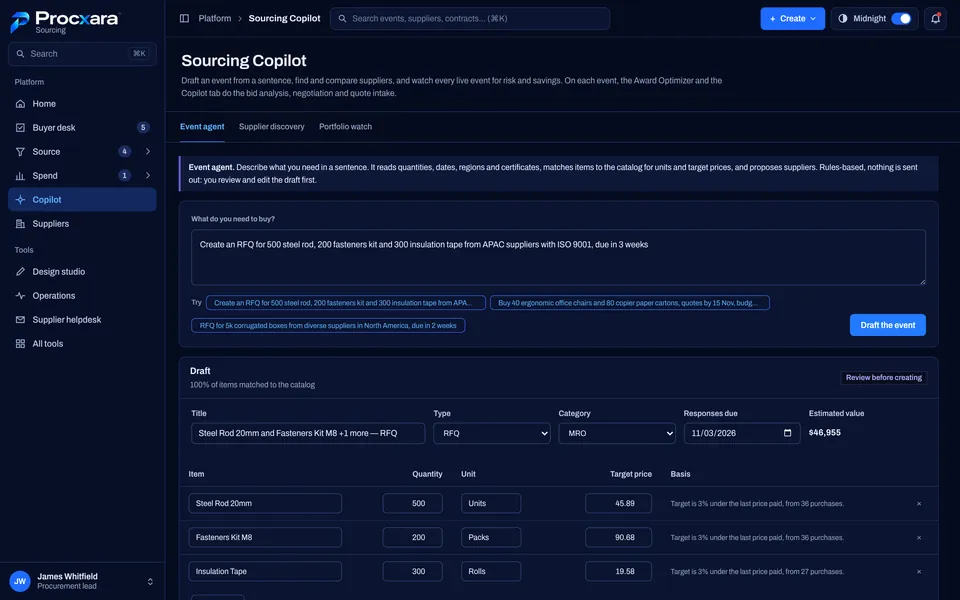
Copilot drafts the event
Describe what you need. Items are matched to your catalog with target prices from past purchases.
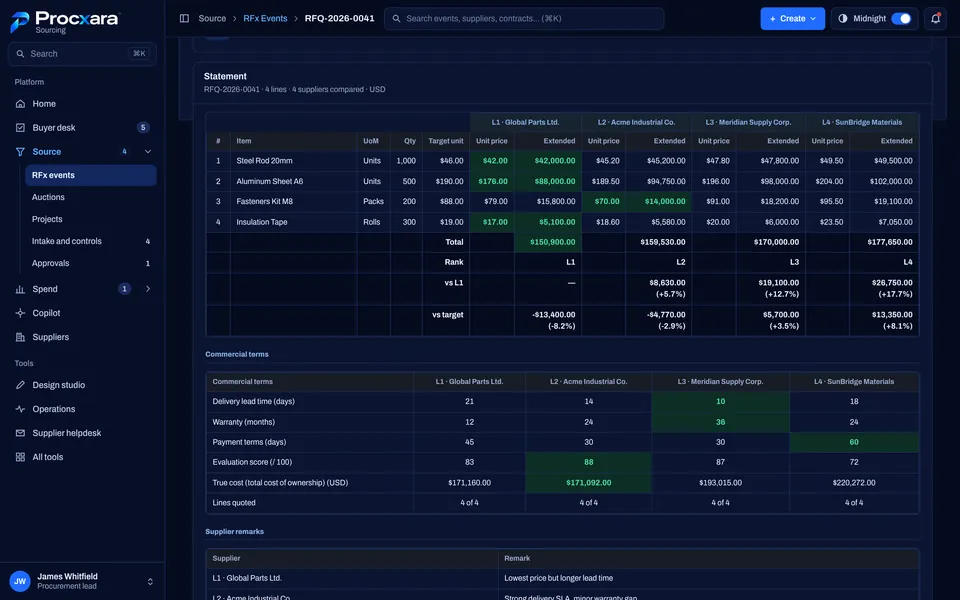
Every bid, side by side
Line-by-line comparison against target, with lead time, warranty and payment terms in the same view.
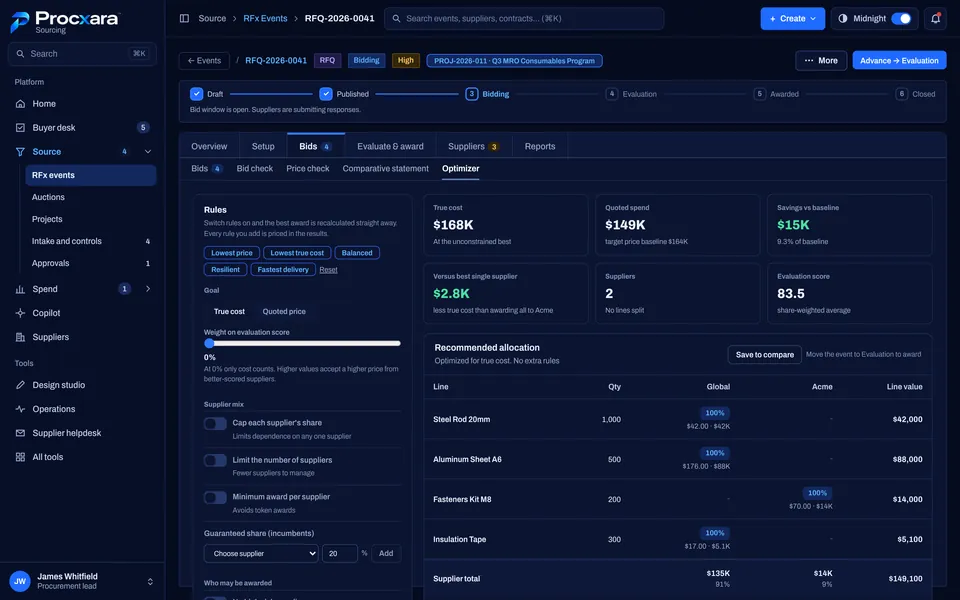
Award optimizer
Switch rules on and off and the best award is recalculated, split across suppliers if that costs less.
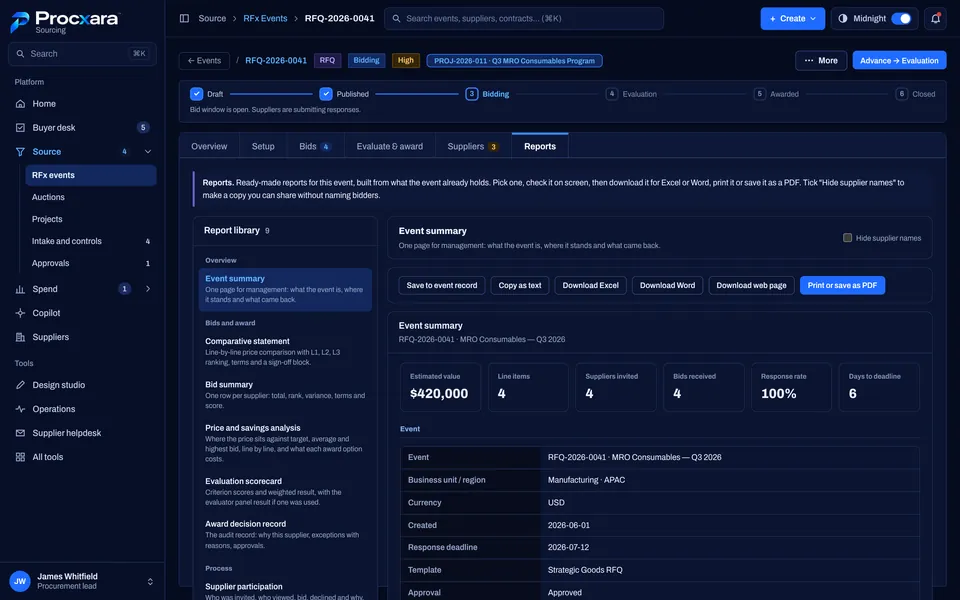
Reports ready for management
Event summaries, comparative statements and award records, for Excel, Word or PDF.
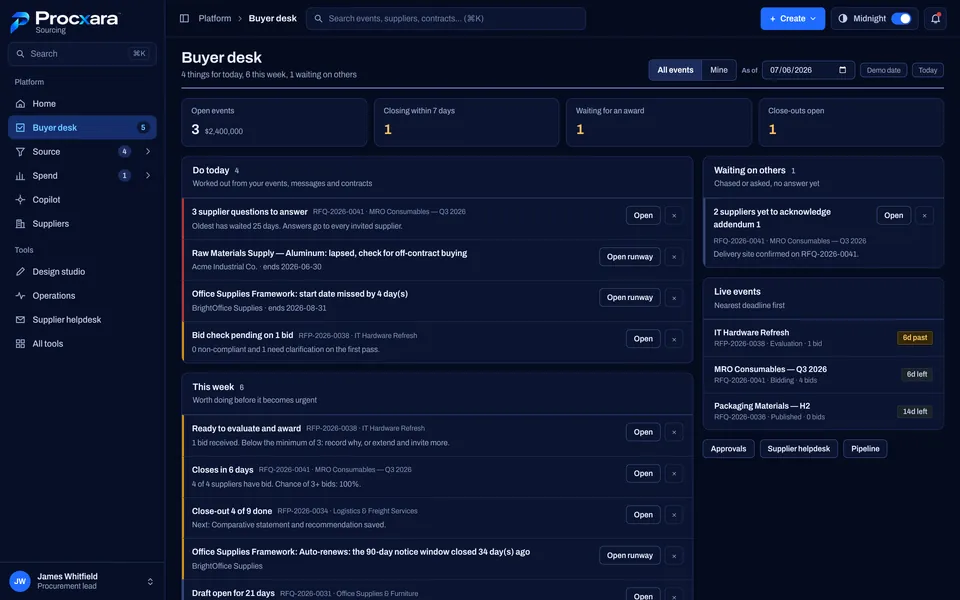
Buyer desk
Everything waiting for you today, this week and on others, in one place.
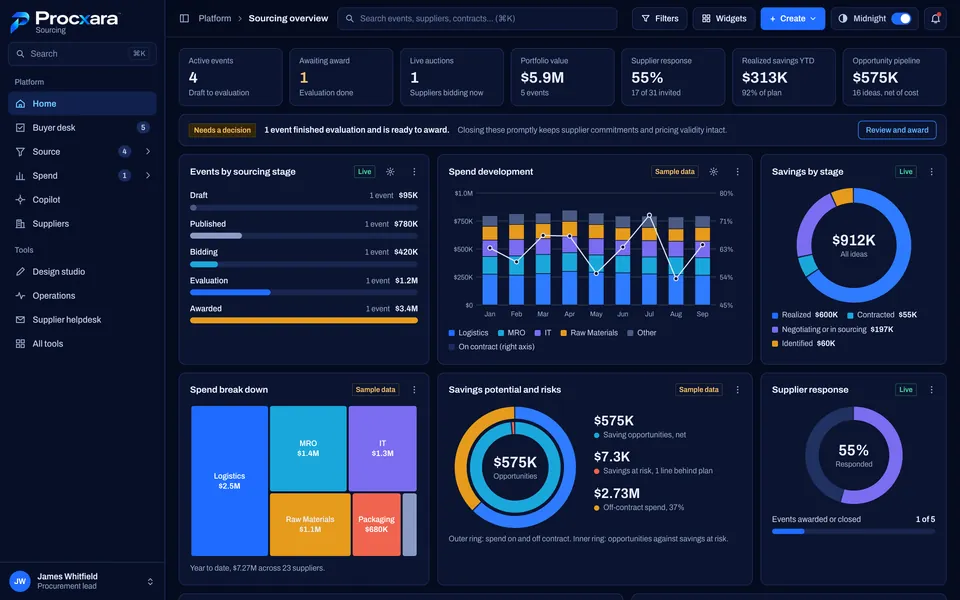
Sourcing overview
Events by stage, spend development, savings and supplier response across the portfolio.
Product screens show fictional demo data. Figures are illustrative.
Want to see it on your own categories?
Book a 30-minute walkthrough on fictional data shaped around what you buy and the ERP you run. Or join the waitlist for early access.
Not ready for a demo?
Early access opens to a small group of manufacturers first.